
-
General
-
Editor
-
Admin
Change camera
Actualizado
creado porVeronica
The change camera feature allows you to view the same scene from different angles. This adjustment can occur automatically or when interacting with the character.
Configuration
To configure this, follow these steps:
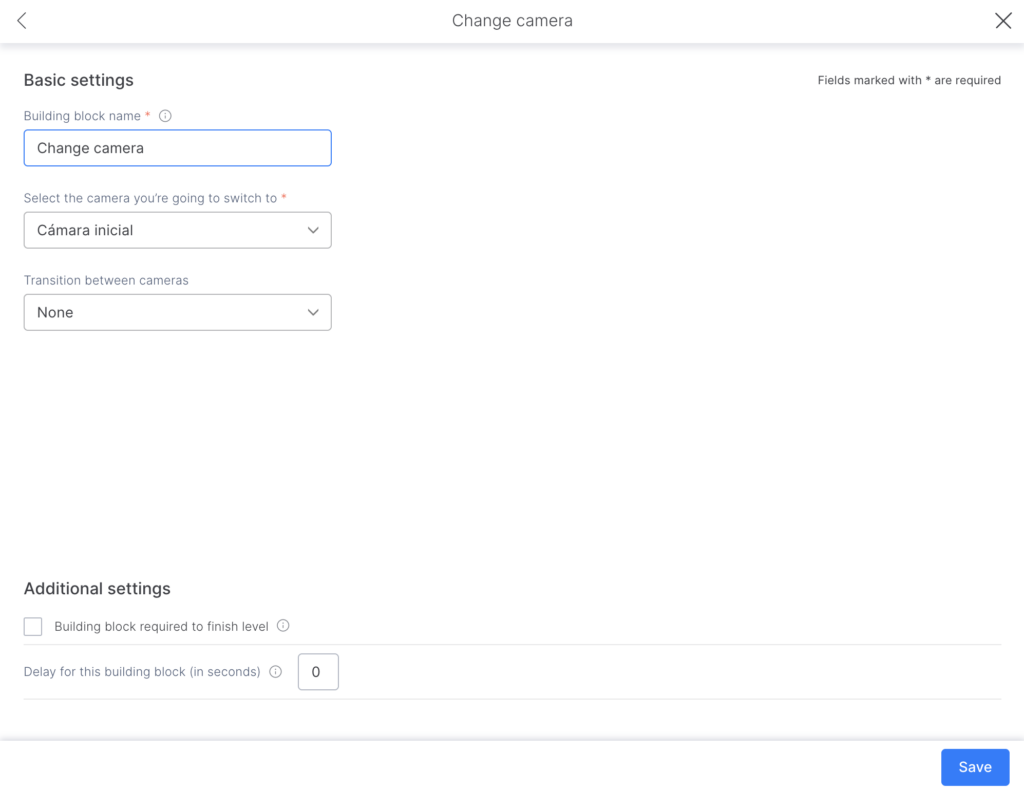
- Assign a name to the piece so it can be easily identified within the flow (for internal use only).
- Select the camera you want to switch to.
- Note: the different cameras must be set up in the scene beforehand in order to perform the switch.
- Choose the type of transition between cameras (no transition, fade, or panning).
- If you select fade or panning, specify its duration in seconds.
- Save it.
Contenido del artículo:
