
Seats: Managing your subscription
Seats-based plan
A subscription consists of acquiring a number of seats that your students can use to access the Gamelearn platform. You can manage your subscription in a number of ways depending on your needs:
Each seat will be occupied by a single person for 12 months (the subscription’s validity period). With this, you’ll have the option to give them access to the entire catalog.
View information related to your subscription and seats
You can view all the information related to your subscription and seats from the Admin. To do so, follow these steps:
- Click on your profile initial, found in the top right corner.
- Click on “My account.”
- Select the “Subscriptions” option. Here, you can find the following information:
- Subscription plan
- Seats contracted
- Available seats
- Current subscription expiration date
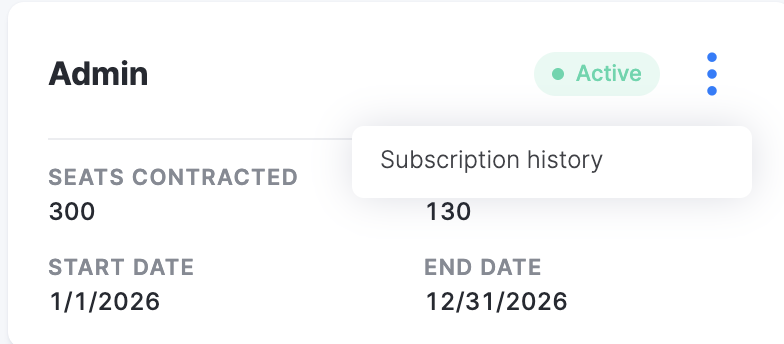
- Subscription history
Note: To view your subscription history, click the three-dot menu in the Admin section.
Alternatively, you can check information about your seats in the Dashboard. Click here for more information.
Check the status of seats
Prerequisites
Have an active subscription plan.
From the admin dashboard, you can access all the information related to your plan and the number of seats purchased, which are divided into three categories:
- Occupied: corresponds to the number of registered students who have already started a course and, therefore, seats that are already taken up.
- Pending: corresponds to the number of registered students who have not yet started any course in the current subscription.
- Unassigned: refers to free seats ready to be used.
Remember, you can easily find students using the filter in the “Students” section.